
Schedule2 & iOps360: The Ultimate Narcotics Tracking and Public Safety Solution
Unite the meticulous narcotics tracking of Schedule2 with the operational power of iOps360 for an all-encompassing public safety management experience. Schedule2 offers a myriad of powerful features that keep your daily operations smooth, while ensuring your data remains organized and compliant. Narcotics tracking couldn’t be easier.
What is Schedule2.IT? –
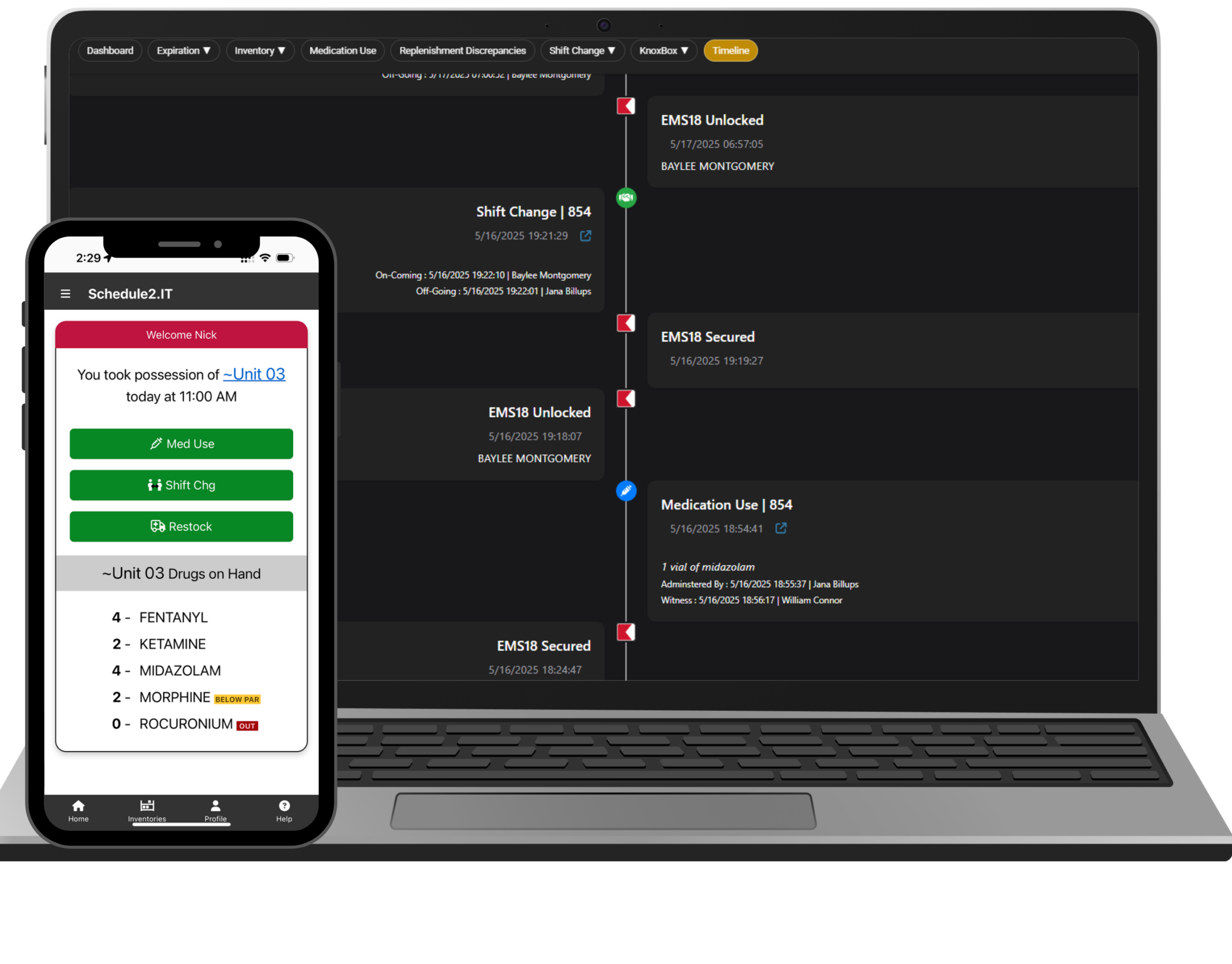
Schedule2.IT is the narcotics tracking and compliance solution. This feature-rich software was developed by Medical Directors and EMS personnel to increase the efficiency of your team all within a user-friendly interface. S2 offers a variety of helpful features including:
- Cradle to grave tracking
- FDA NDC database integration
- Shift changes in under 30 seconds
- Mobile friendly design
- Biometrics
- Barcode scanning
(And lots, lots more!)
Clean, Clear, Compliant –
Built for EMS professionals, compiling 20+ years of pharmaceutical inventory experience into one application that works smoothly for EMS, Fire, & Hospital systems alike. Schedule2 was precisely designed from the ground up by individuals that have the personal experience to know what works and what does not.
Seamless Integration –
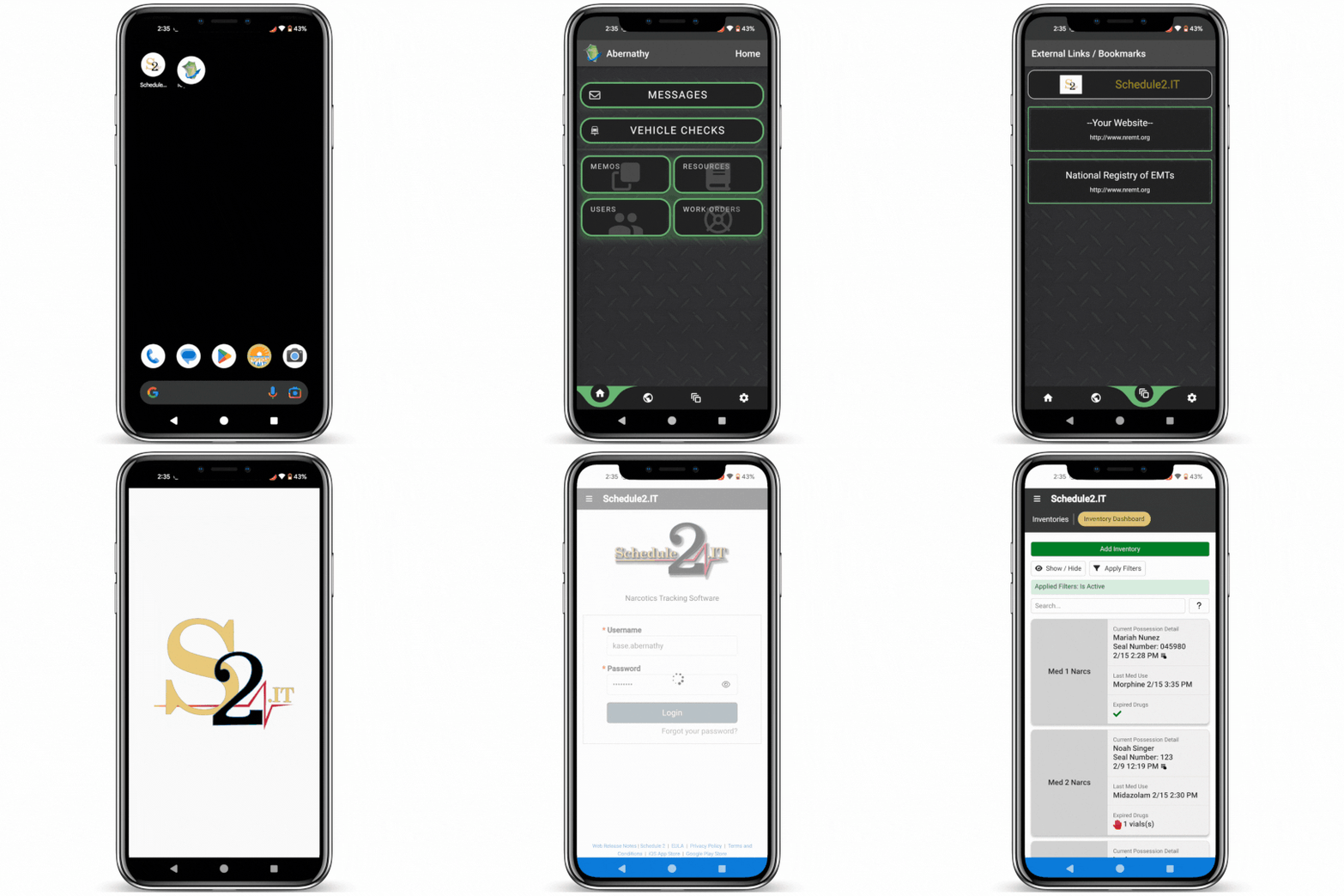
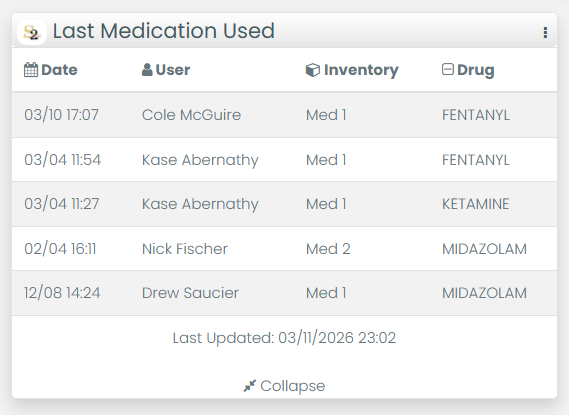
You can quickly view information from Schedule2 using multiple specially designed Dashboard widgets, or log in while you’re on the go directly from the iOps360 app.
True DEA Compliance –
3/9/26 DEA Requirements 21 CFR § 1304 was recently passed.
With auto-filled DEA Form 41 and Biennial Reporting, Schedule2.IT has you covered.
Fully Scannable –
No more paper tracking logs or cumbersome manual entry. From pharmacy GS1 barcodes to box seals, everything is a simple scan with your mobile device.
You can log in to Schedule2.IT through iOps360 for a quick and seamless end-to-end operations solution with no hassle.
Integration Features –
There are lots of convenient features your agency gains access to upon integrating your system with S2, including:
- Staff will be able to Single Sign On from the iOps360 app into Schedule2.It app.
- New users created on either iOps360 or Schedule2 will be automatically created in the other platform. (You will still need to configure any additional permissions for the users in each platform respectively, for your security.)
- Dashboard Widgets can show the recent Medications Used, Shift Hand Offs/Changes, and any upcoming Expirations.
Painless Integration –
The iOps360 and Schedule2.IT integration process is as simple as the following four steps:
- Log Into S2 here: https://app.schedule2.it/login
- Select “Admin” > “Settings” > “Integrations”.
- Enable the iOps360 Integration.
- In just a few moments, users between each system will sync!